修改模板快速開始
面向
AliceJump/ok-end-field無許可權貢獻者,專用於修改遊戲截圖模板。
倉庫 角色 AliceJump/ok-end-field上游主倉庫 AliceJump/ok-end-field-x-anylabeling-asset模板原始檔 ( ok_templates/,submodule,預設分支main)你的账号/...你的兩份 fork
先搞懂架構
ok_templates/  (子仓库: 原始 PNG + 对应 AnyLabeling JSON + coco_annotations.json)
     │ TemplateTab → Save → "assets (standalone app)"
     ▼
assets/images/ + assets/coco_annotations.json  (主仓库生成物)
src/data/FeatureList.py                         (主仓库生成的标签枚举)
     │
     ▼
self.find_feature(feature=fL.xxx)
     → RuntimeMixin.find_feature
     → get_feature_by_resolution (基础名 / _2k / _4k)
     → ok-script BaseTask.find_feature / FeatureSet
     → OpenCV 模板匹配
關鍵:
ok_templates/中與截圖同名的原始 PNG、標註 JSON 以及彙總的coco_annotations.json才是模板原始碼;主倉庫的assets/images/、assets/coco_annotations.json和src/data/FeatureList.py是 Save 生成物。模板改動必須同時提交子倉庫原始碼和主倉庫生成物。
完整工作流
① Fork 兩個倉庫
| 倉庫 | 操作 |
|---|---|
AliceJump/ok-end-field |
GitHub → Fork |
AliceJump/ok-end-field-x-anylabeling-asset |
GitHub → Fork |
② Clone(含 submodule)
git clone --recursive https://github.com/你的账号/ok-end-field.git
cd ok-end-field
git remote add upstream https://github.com/AliceJump/ok-end-field.git
git fetch upstream
git switch -c update-templates upstream/master
如果已 clone 但沒初始化:
git submodule update --init ok_templates
主倉庫的 origin 應指向你的 fork,upstream 應指向 AliceJump/ok-end-field。主倉庫當前預設分支是 master;提交前應確認功能分支基於最新的 upstream/master。
③ 配置子倉庫 remote → 從 main 簽出分支
cd ok_templates
git remote rename origin upstream
git remote add origin https://github.com/你的账号/ok-end-field-x-anylabeling-asset.git
git fetch --all --prune
git switch --create main --track upstream/main
git switch -c update-x-template
git remote -v
cd ..
初始化 submodule 後通常處於 detached HEAD,且 .gitmodules 配置的 origin 指向上游。上面的命令將該 remote 保留為 upstream,再把你的 fork 設為可推送的 origin。如果本地已經存在 main,使用 git switch main 和 git pull --ff-only upstream main,不要再次執行 --create。
④ 修改模板(TemplateTab GUI)
python main.py
Step 1 — 截圖
① 點選 Screenshot
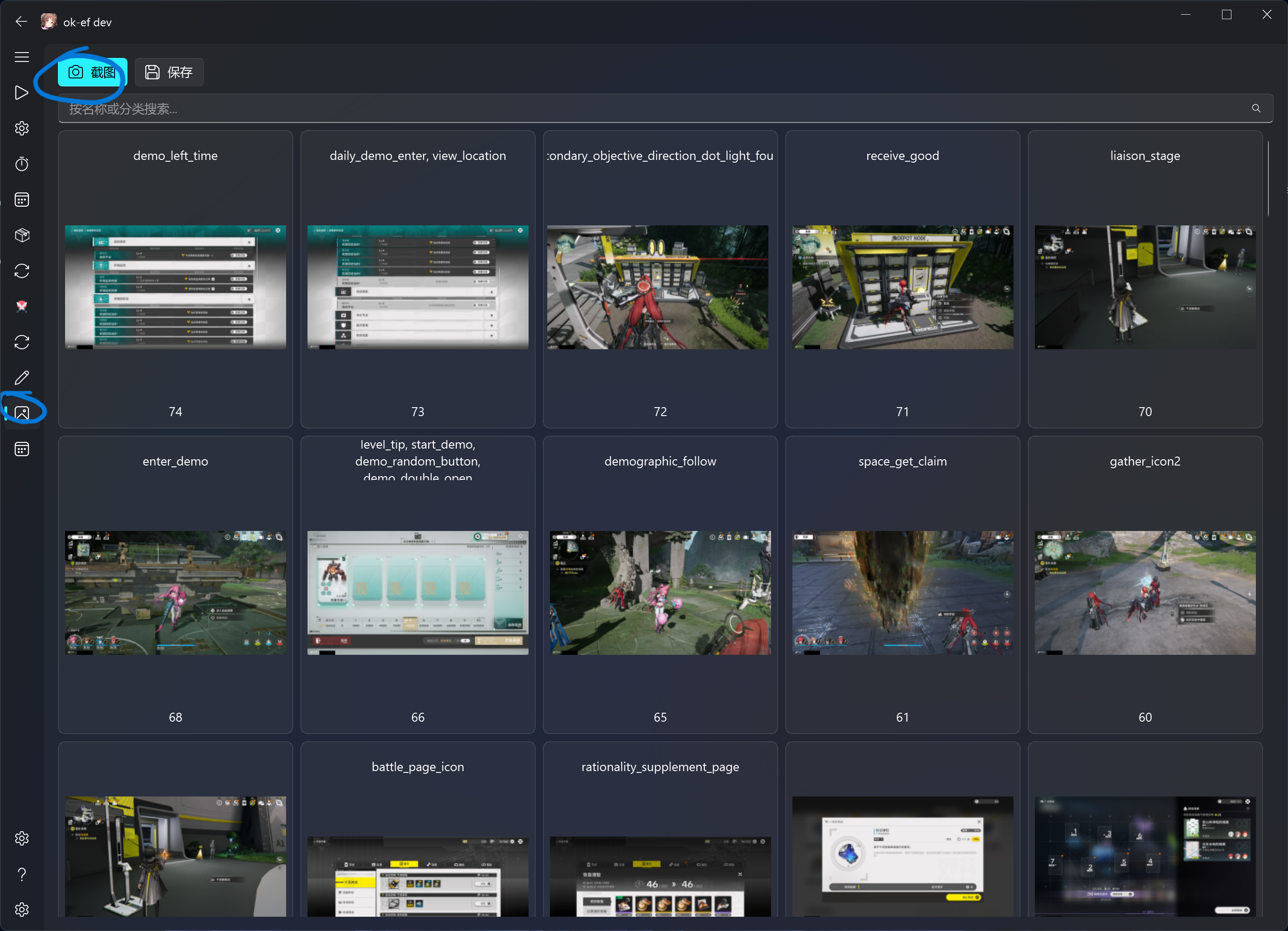
截圖自動儲存到 ok_templates/,推薦 3840×2160 全屏截圖。
② 截圖完成後出現在列表中
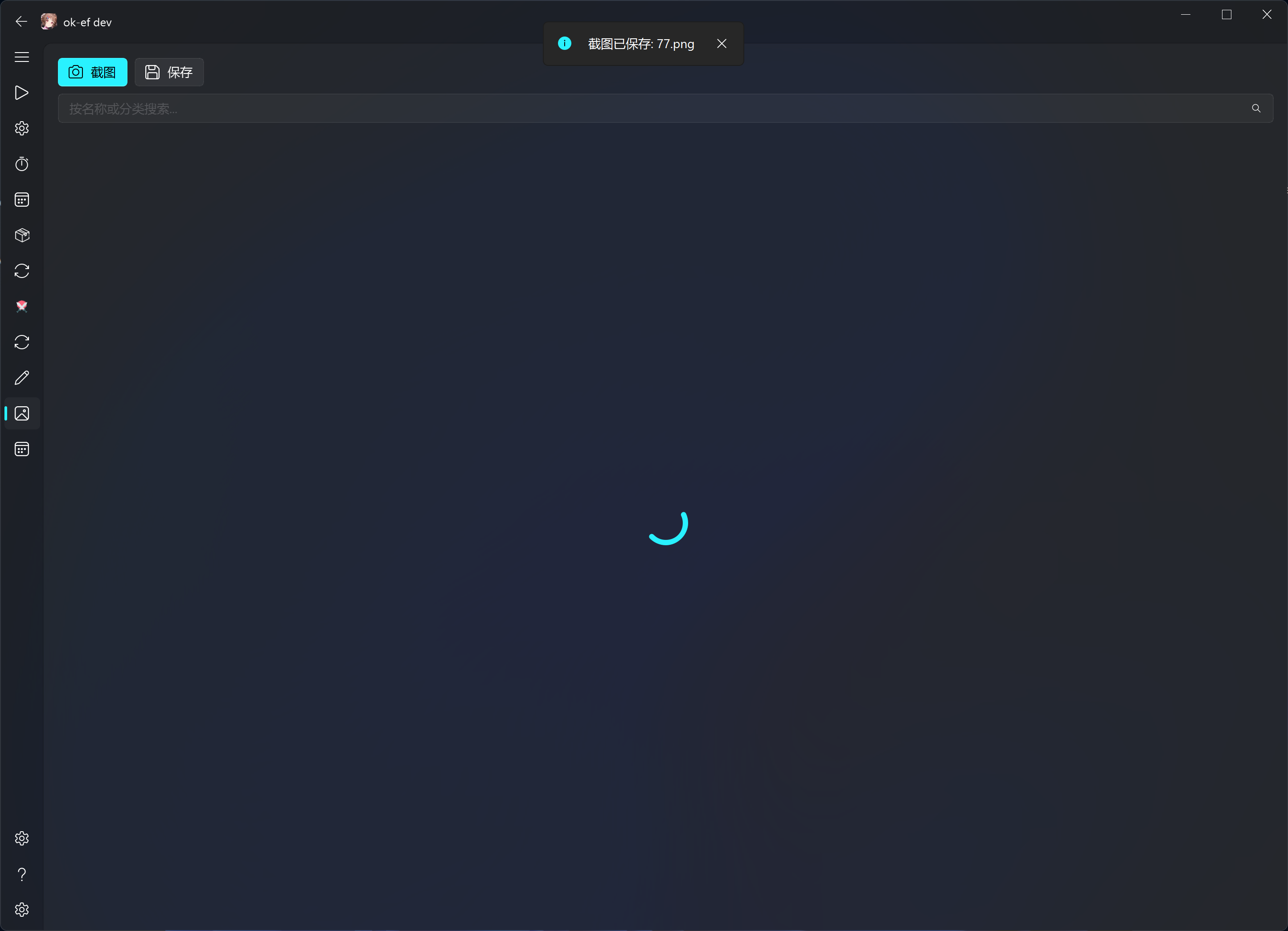
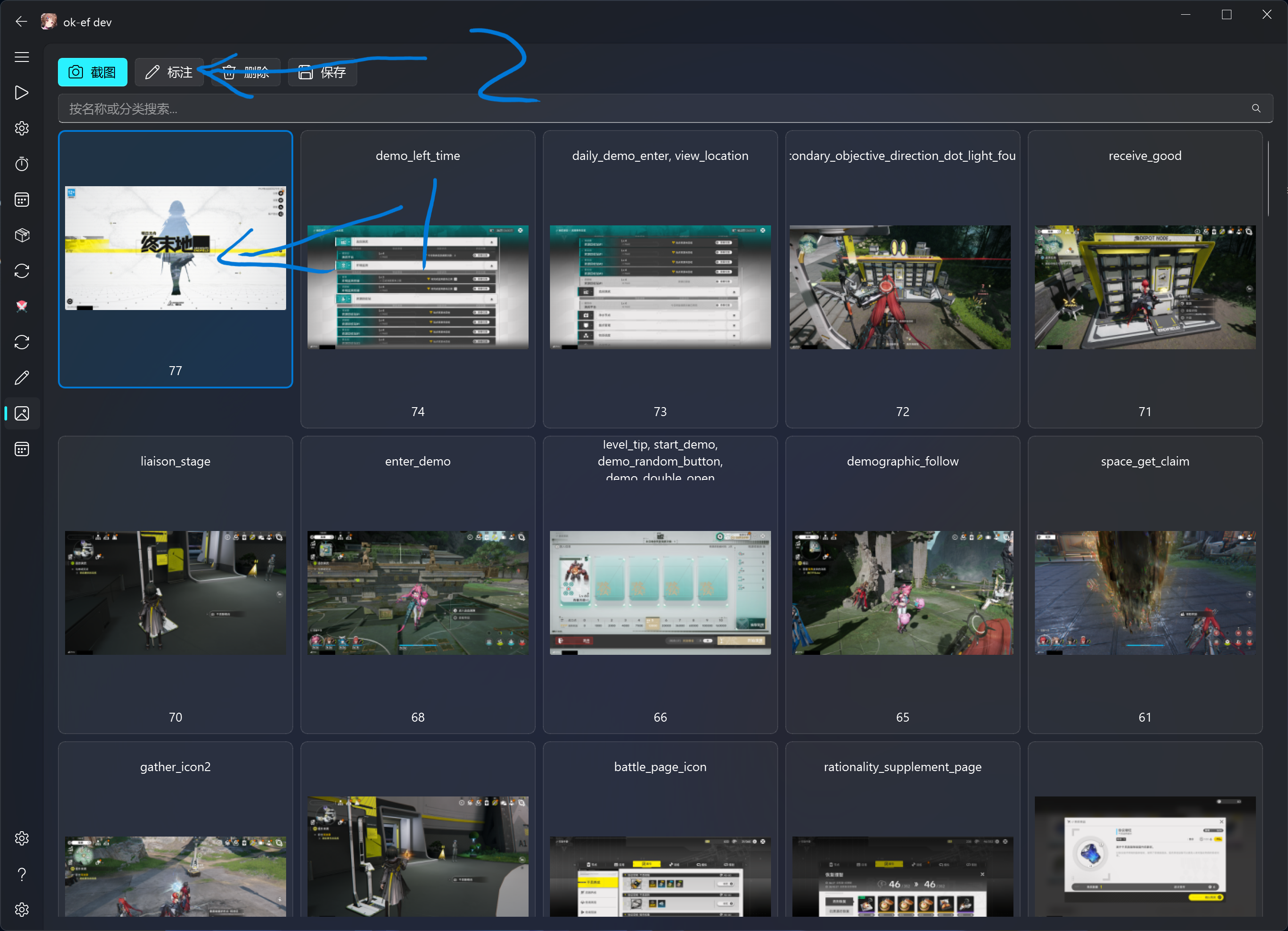
Step 2 — 標註
選中圖片 → 點選 Markup
③ Markup 介面
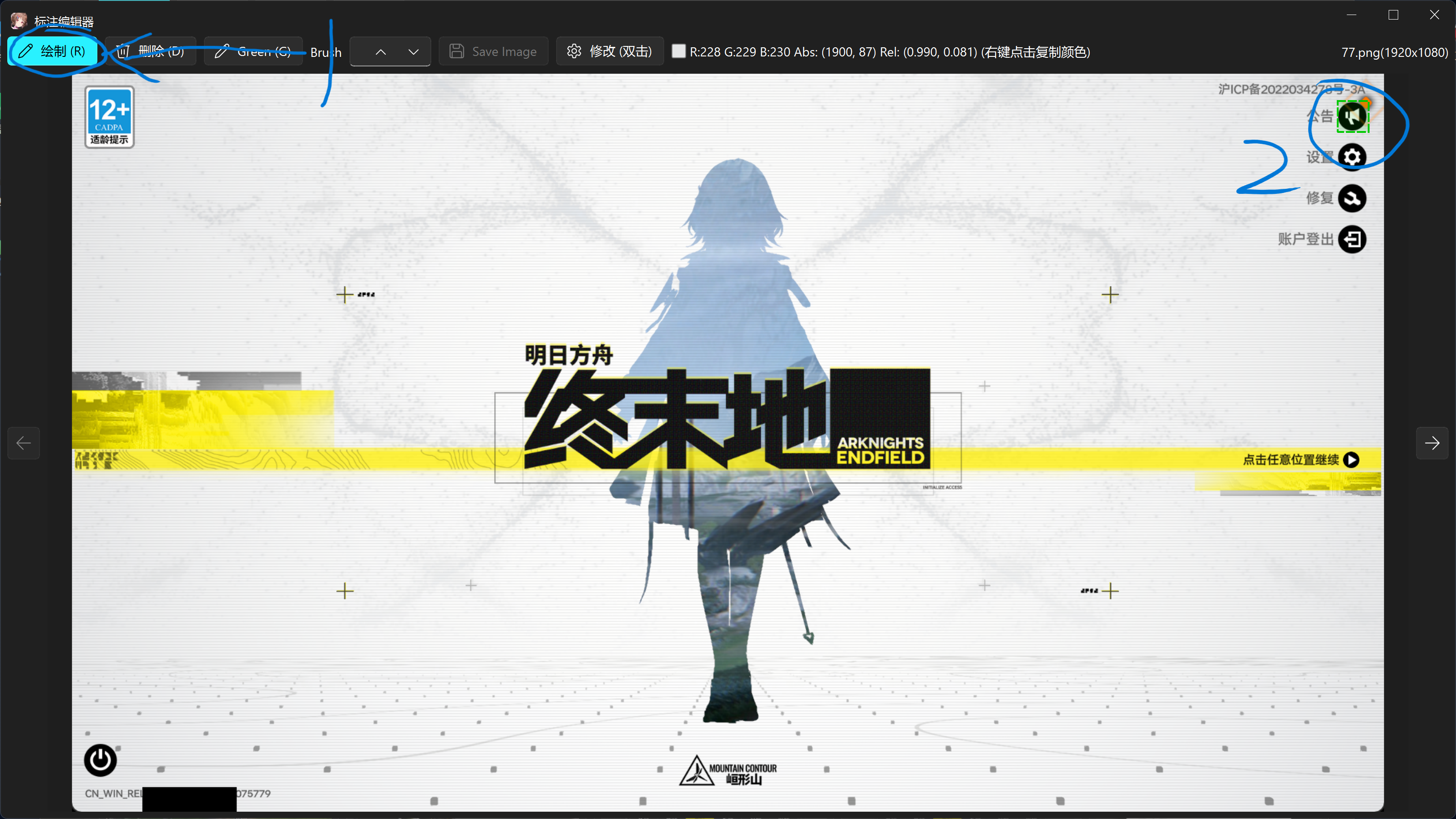
④ 點選繪製 → 框選目標元素(左上→右下)
⑤ 輸入模板名 → 確認
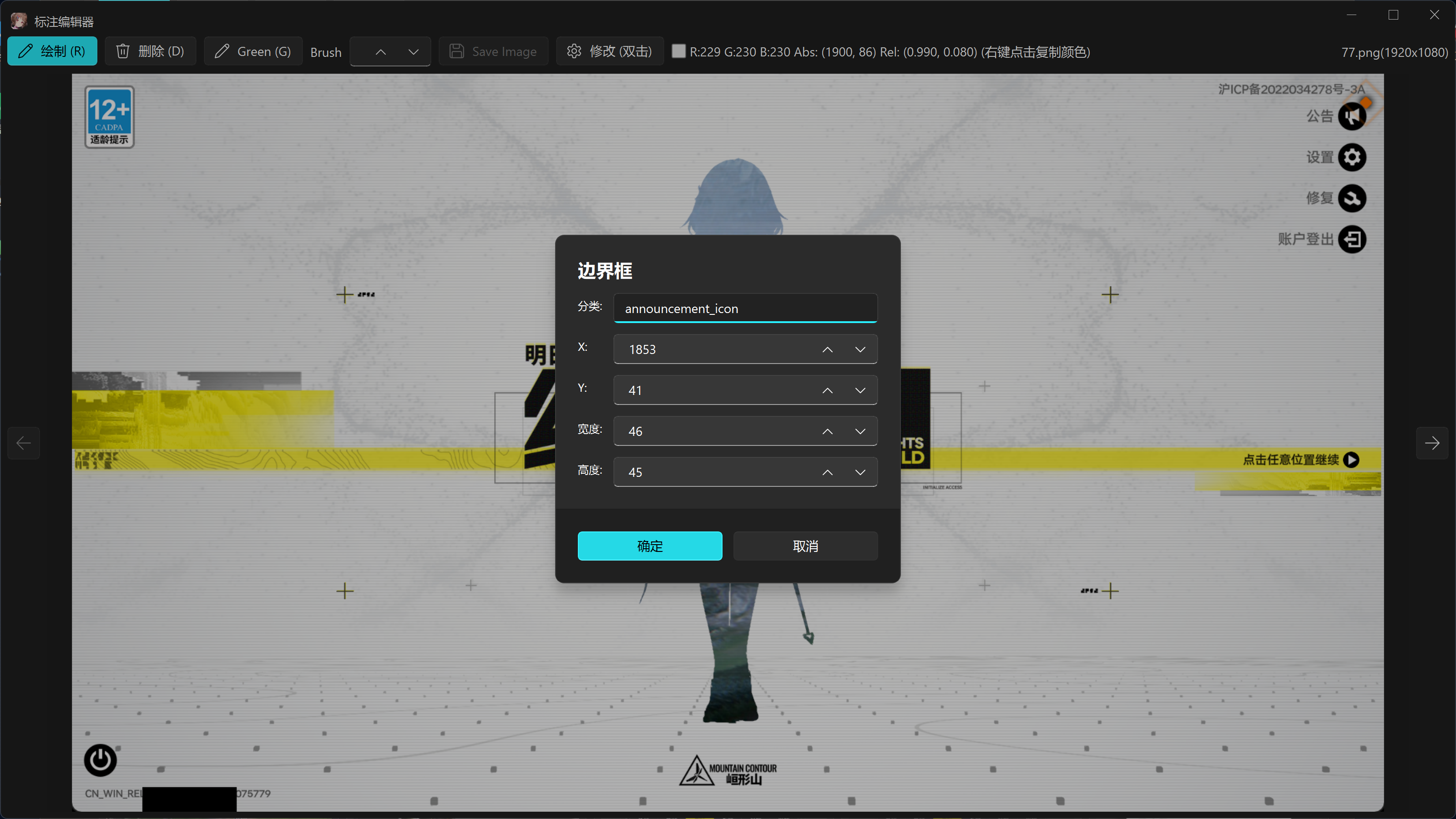
標籤名必須與
src/data/FeatureList.py中的值及程式碼呼叫一致。當前約定是小寫英文snake_case,按語義使用字首/字尾,例如角色聯絡頭像用contact_<name>,戰鬥頭像用battle_icon_<name>,圖示用<name>_icon,同類變體用_2、_3。解析度專用模板只追加_2k或_4k;程式碼通常傳不帶解析度字尾的基礎名,例如self.find_feature(feature=fL.esc),由get_feature_by_resolution()按視窗寬度選擇esc、esc_2k或esc_4k。不要沿用倉庫中不存在的char_、box_等舊字首約定。
⑥ 標註完成
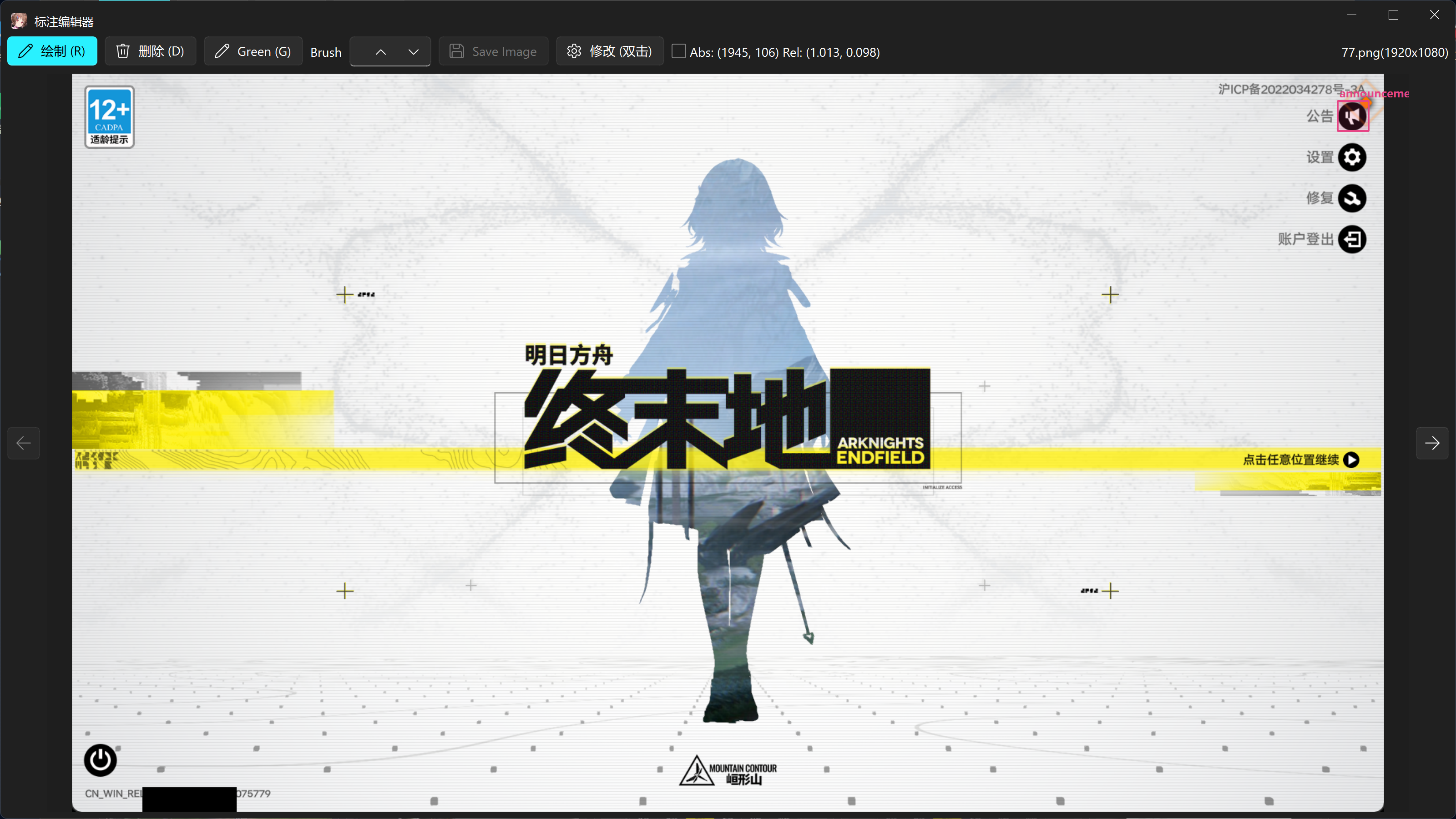
Step 3 — 壓縮匯出
點選 Save → 選擇 "assets (standalone app)" → OK
⑦ 選擇匯出目標
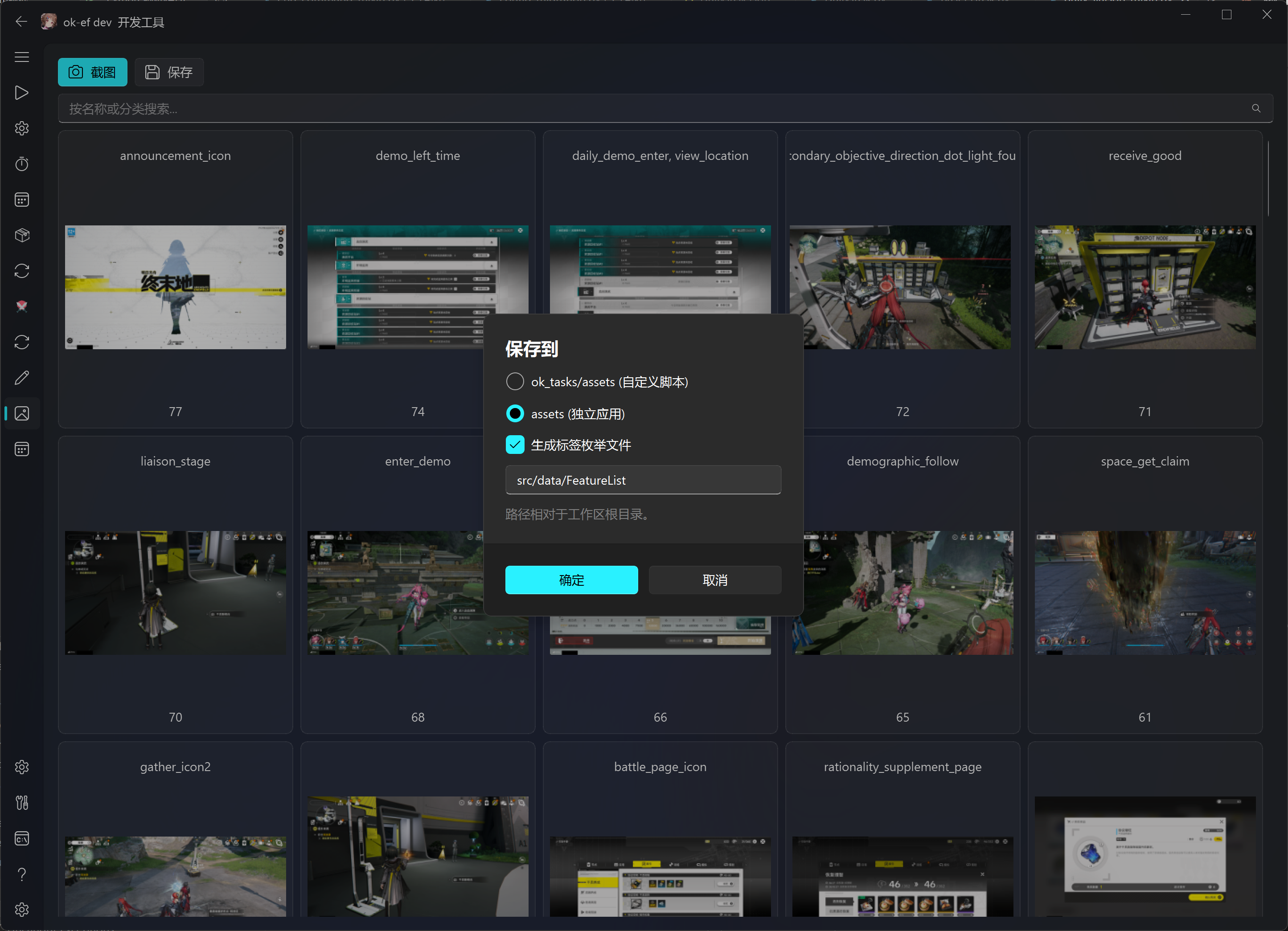
⑧ 匯出完成
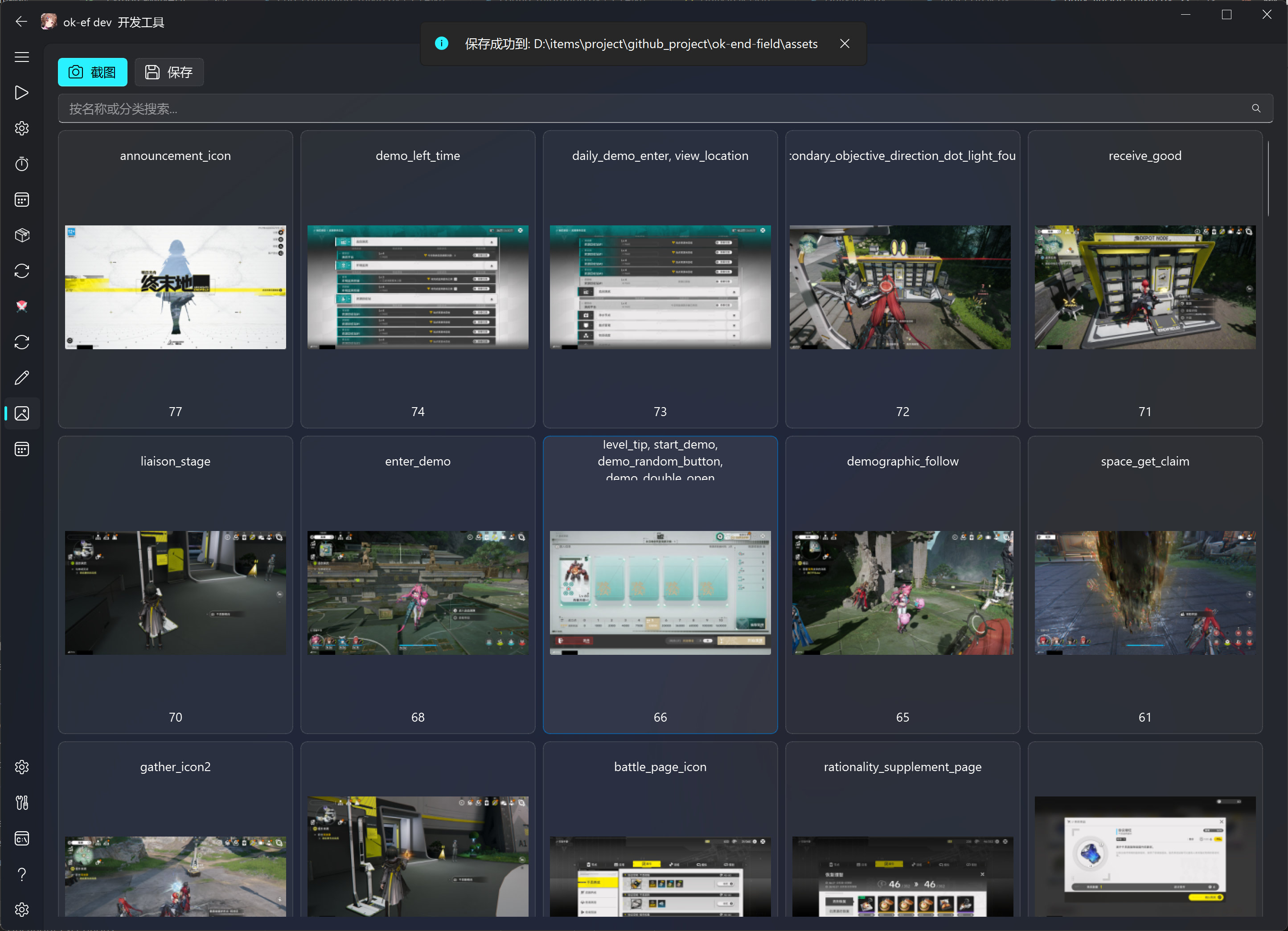
Step 4 — 驗證
cd ok_templates
git status --short --branch
git diff --stat
git diff -- coco_annotations.json

cd ..
git submodule status
git status --short
git diff --submodule=log -- ok_templates
git diff --stat -- assets/coco_annotations.json assets/images src/data/FeatureList.py
git diff -- assets/coco_annotations.json src/data/FeatureList.py
還應在 Debug 模式實際呼叫對應基礎標籤,確認 1080p/2K/4K 的字尾選擇和搜尋區域都能命中。提交暫存後,再執行以下命令確認 PR 包含完整內容:
git diff --cached --submodule=log -- ok_templates
git diff --cached --stat -- assets/coco_annotations.json assets/images src/data/FeatureList.py
git status --short
⑤ 推送子倉庫
cd ok_templates
git add .
git diff --cached --stat
git diff --cached -- coco_annotations.json
git commit -m "feat: add X template"
git push -u origin update-x-template
⑥ 建立子倉庫 PR
你的账号/ok-end-field-x-anylabeling-asset:update-x-template → PR → AliceJump/ok-end-field-x-anylabeling-asset:main
⚠️ 必須先等此 PR 合併再繼續。
⑦ 子倉庫合併後 → 更新主倉庫 PR
cd ok_templates
git fetch upstream
git switch main
git pull --ff-only upstream main
cd ..
python main.py   # TemplateTab → Save → "assets (standalone app)"
git add ok_templates assets/coco_annotations.json assets/images src/data/FeatureList.py
git diff --cached --submodule=log -- ok_templates
git diff --cached --stat -- assets/coco_annotations.json assets/images src/data/FeatureList.py
git commit -m "feat: update templates and submodule"
git push -u origin update-templates
git status --short --branch
git submodule status
git diff --check upstream/master...HEAD
git diff --stat upstream/master...HEAD
git diff --submodule=log upstream/master...HEAD -- ok_templates
建立 PR:
你的账号/ok-end-field → PR → AliceJump/ok-end-field
常見錯誤
| 錯誤 | 原因 | 解決 |
|---|---|---|
Permission denied push 失敗 |
remote 仍指向上游 | git remote set-url origin 改到你的 fork |
git submodule status 出現 + |
子倉庫當前 checkout 的 commit 與主倉庫索引記錄的 gitlink 不同;不表示該 commit 一定“不在上游” | 用 git diff --submodule=log -- ok_templates 確認差異;應更新時在主倉庫暫存 ok_templates,不應更新時切回索引記錄的 commit |
git submodule status 出現 - / U |
- 表示未初始化;U 表示 gitlink 有合併衝突 |
初始化 submodule;衝突則先在子倉庫選定正確 commit,再在主倉庫暫存 gitlink |
submodule dirty |
未提交修改 | cd ok_templates && git status |
找不到模板 not found in featureDict |
沒 compress / 名稱不對應 | 確認 category name 與程式碼呼叫一致 |
cv2.error |
模板比搜尋區域大 | 檢查 bbox 範圍 |
速查
# 初始化
git clone --recursive https://github.com/你的账号/ok-end-field.git
cd ok-end-field

# 改 remote
cd ok_templates
git remote rename origin upstream
git remote add origin https://github.com/你的账号/ok-end-field-x-anylabeling-asset.git
git fetch --all --prune
git switch --create main --track upstream/main
git switch -c update-x-template
cd ..

# 修改模板 → 压缩导出
python main.py
# Screenshot → Markup(框选+命名) → Save(assets)

# 推子仓库
cd ok_templates
git add . && git diff --cached --stat && git commit -m "feat: add X template" && git push -u origin update-x-template
# → 创建 SubRepo PR,等合并

# 子仓库合并后
cd ok_templates
git fetch upstream && git switch main && git pull --ff-only upstream main
cd ..
python main.py  # TemplateTab → Save
git add ok_templates assets/coco_annotations.json assets/images src/data/FeatureList.py
git diff --cached --submodule=log -- ok_templates
git diff --cached --stat -- assets/coco_annotations.json assets/images src/data/FeatureList.py
git commit -m "feat: update templates" && git push -u origin update-templates
# → 创建 MainRepo PR
一句話:改子倉庫 → compress → 子倉庫 PR → 子倉庫合併 → 重新 compress → 主倉庫 PR。
 在 GitHub 查看來源 ↗